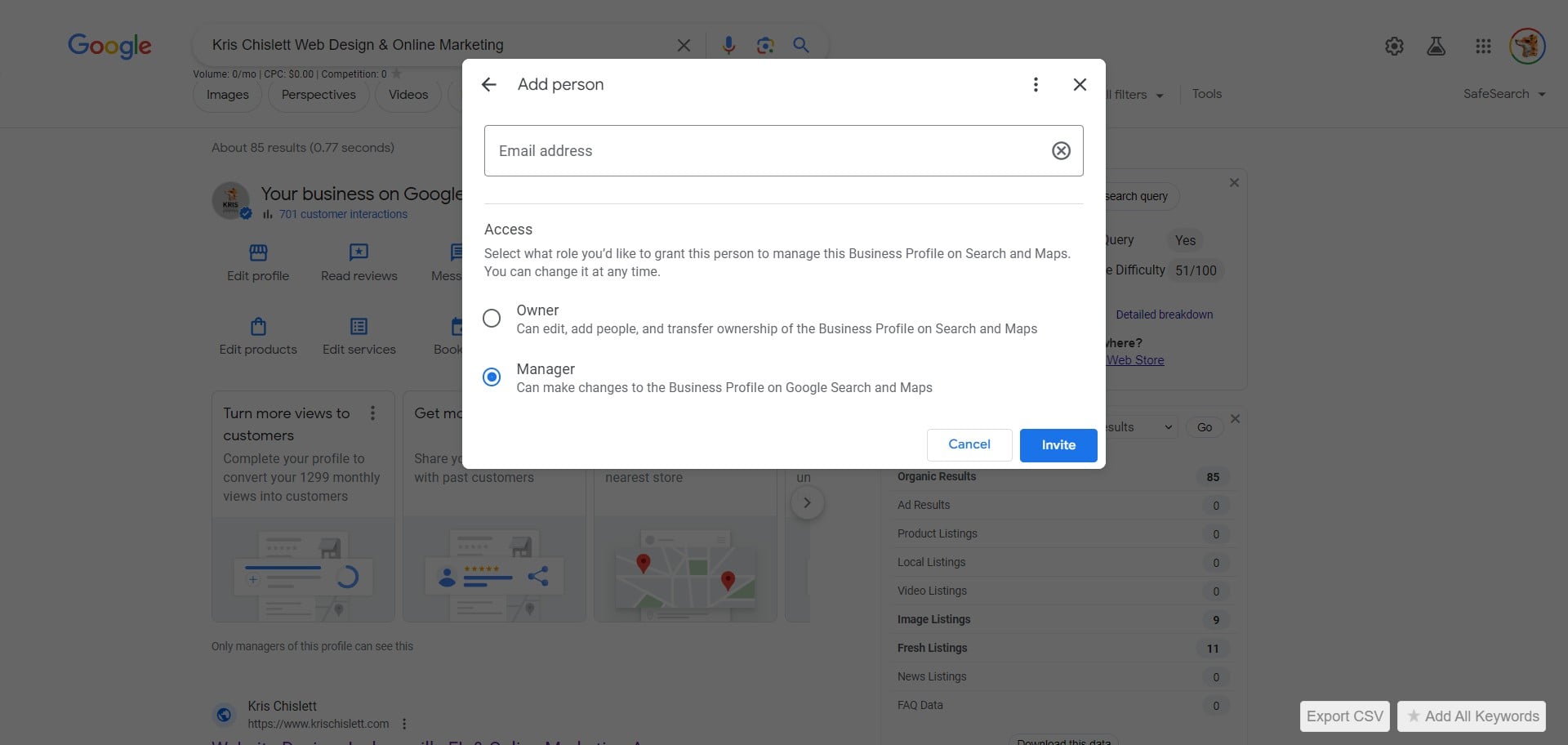
How to add Kris Chislett Design to your Google Business Profile.
Feb 12, 2024●
1
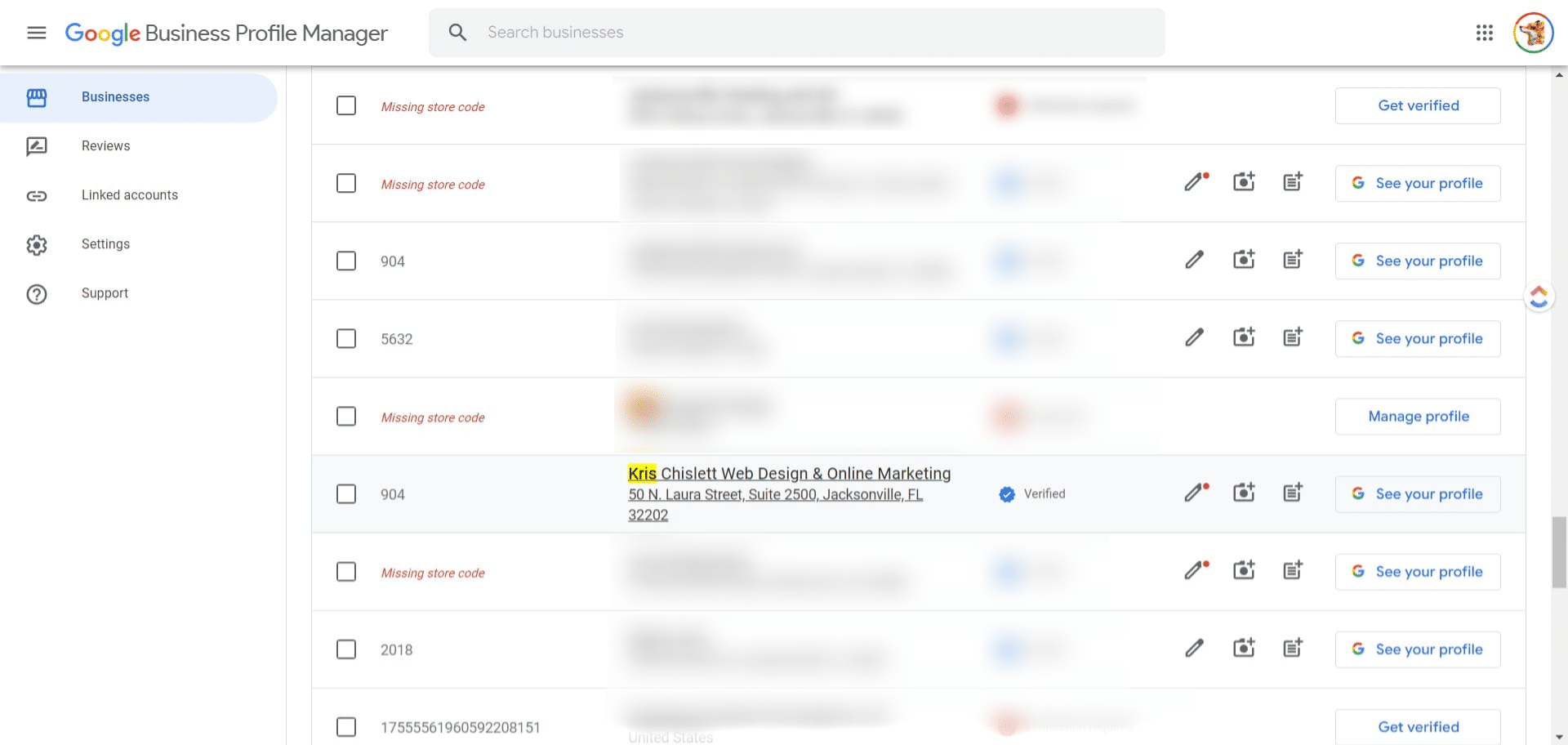
Navigate to business.google.com
2
Click on your profile
3
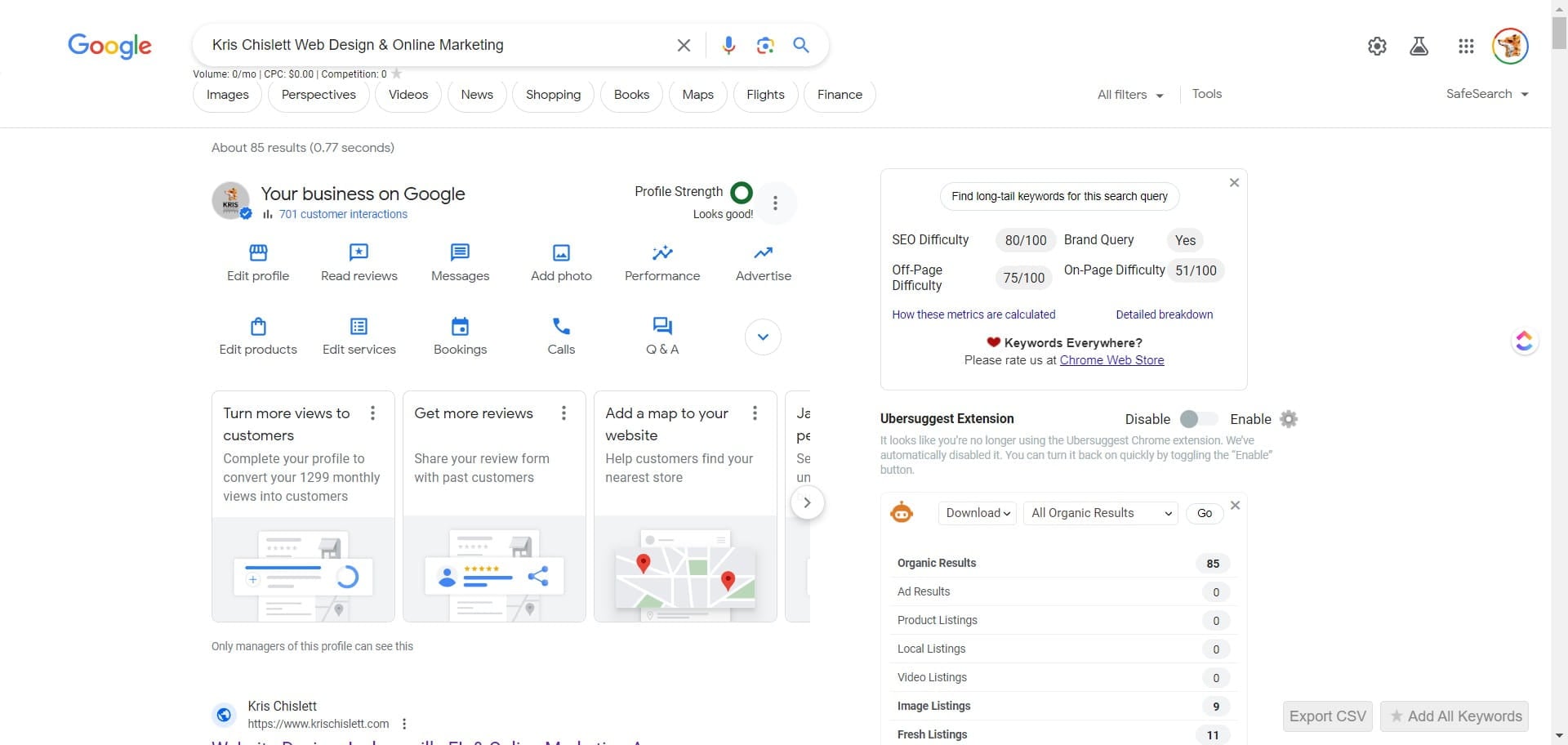
Click the 3 dot icon
4
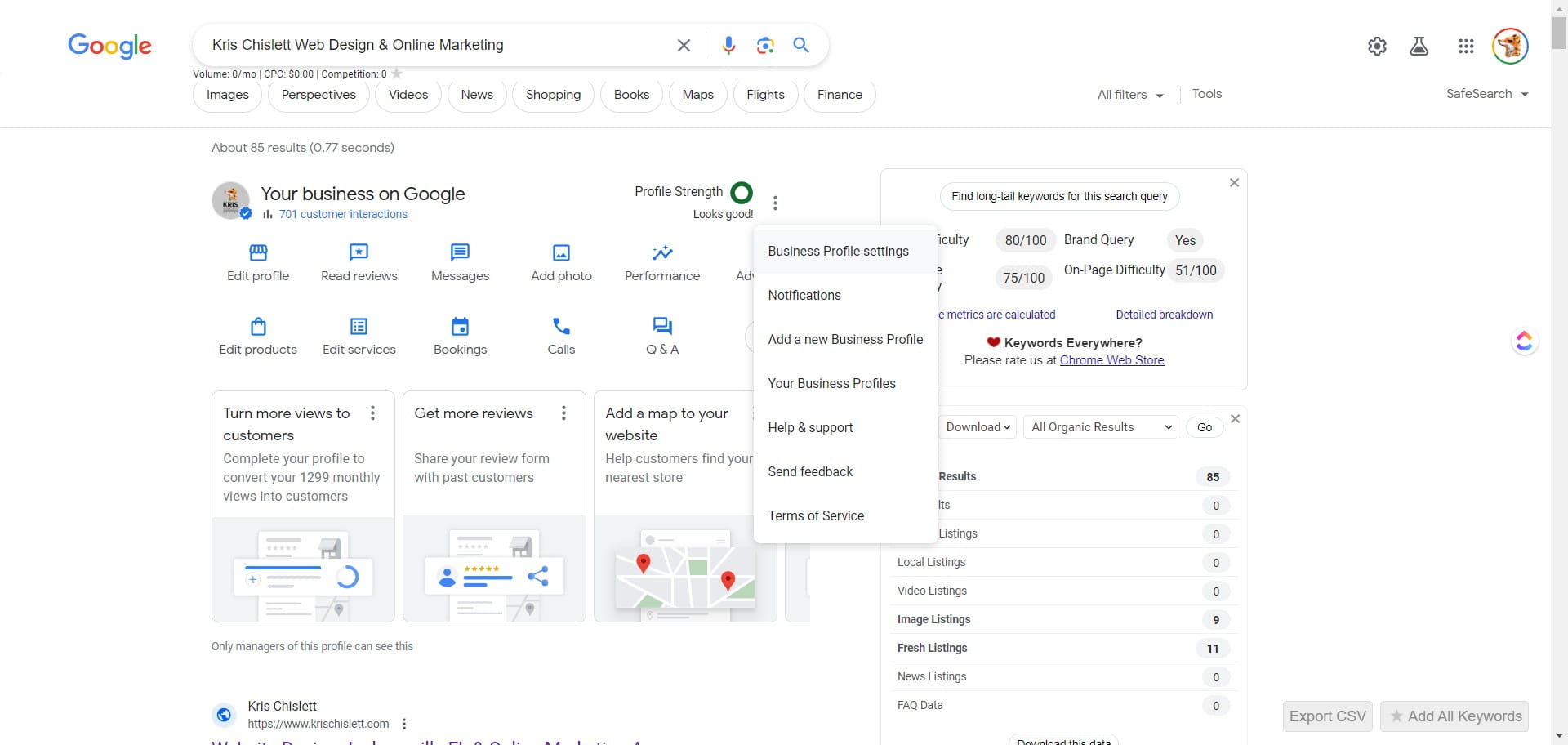
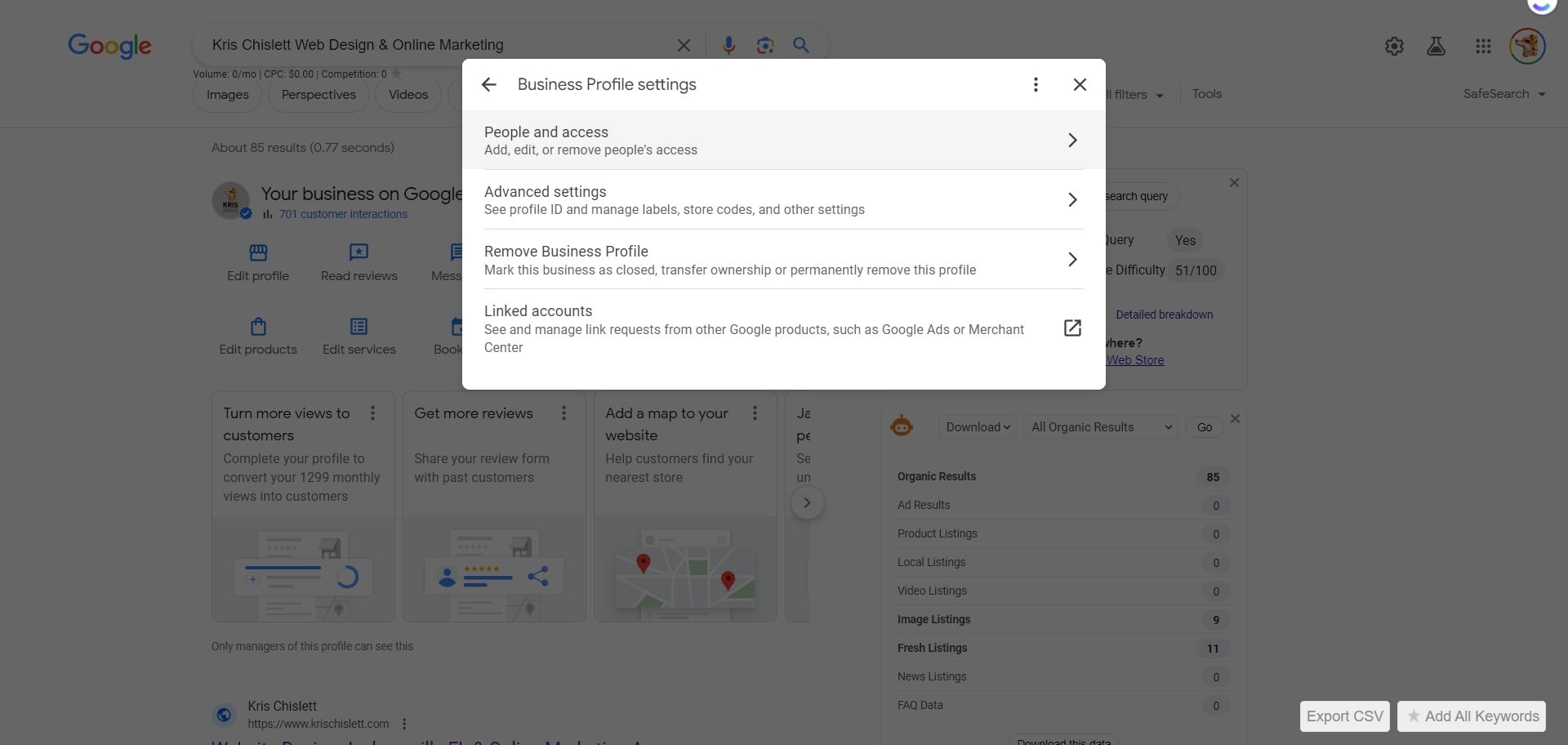
Click on "Business Profile settings"
5
Click People and Access
6
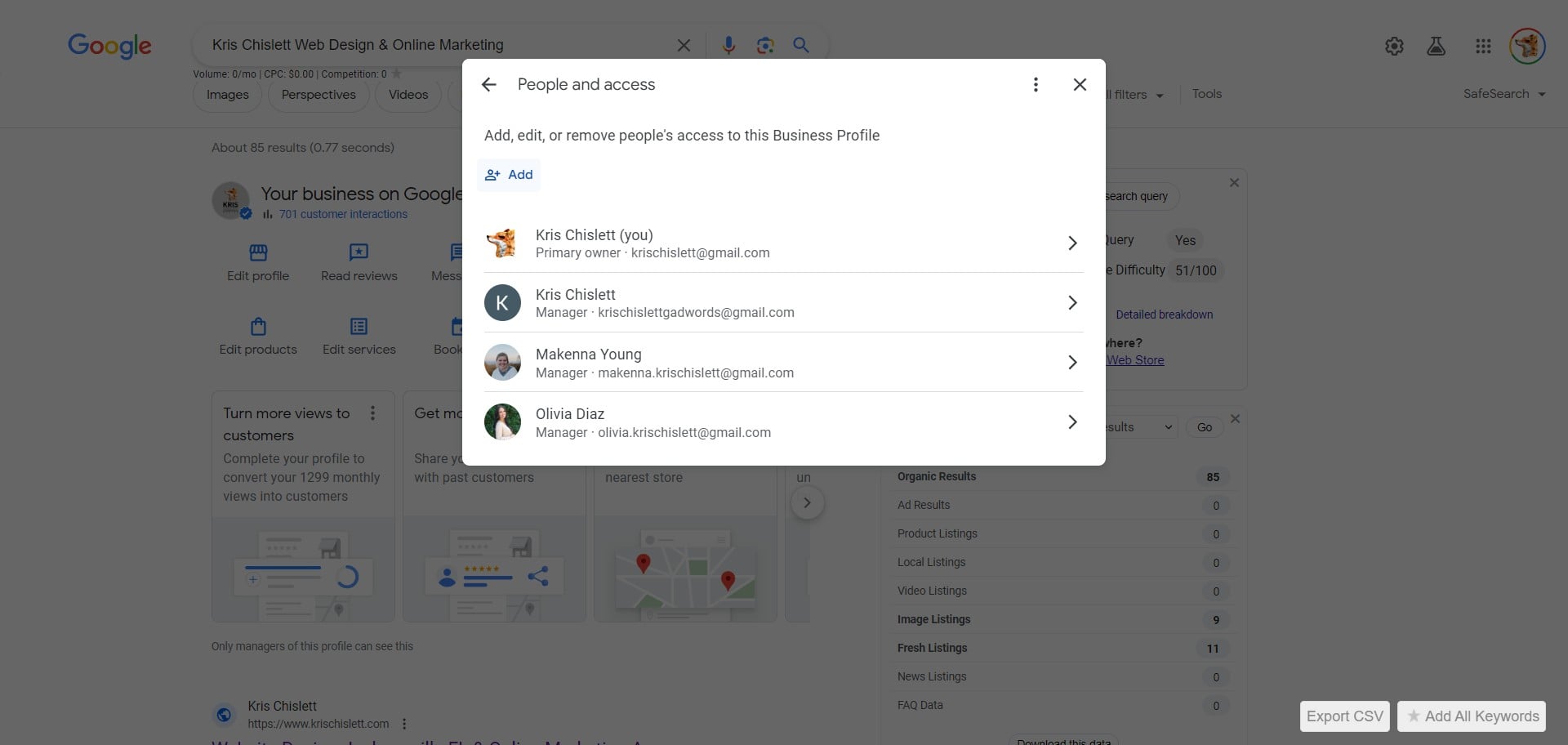
Click on Add
7
Add krischislettgadwords@gmail.com , click Invite ....and you're all done! 🚀